

Bad Times AI

Turn one dog photo into a playful kitchen argument.

Watch example

Make it yours

1 PHOTO → 1 VIDEO

Your dog photo

or drop it here

One dog, clear face and visible body · JPG, PNG or WebP · Up to 10 MB.

Length
10 seconds
Format
720p · 9:16
Sound
Generated audio

$9.90 USD / video

One-time purchase
No subscription required

Dogs only · Beta expressions vary. No original song or exact lyric lip-sync.

Checking your account…

Checking availability… Refund policy

Refunds and purchase status

If we cannot generate your video, we request a full refund to your original payment method. A pending refund is not a completed refund. Check this purchase or Billing for its status; if the status is unclear, check the same purchase before buying again.

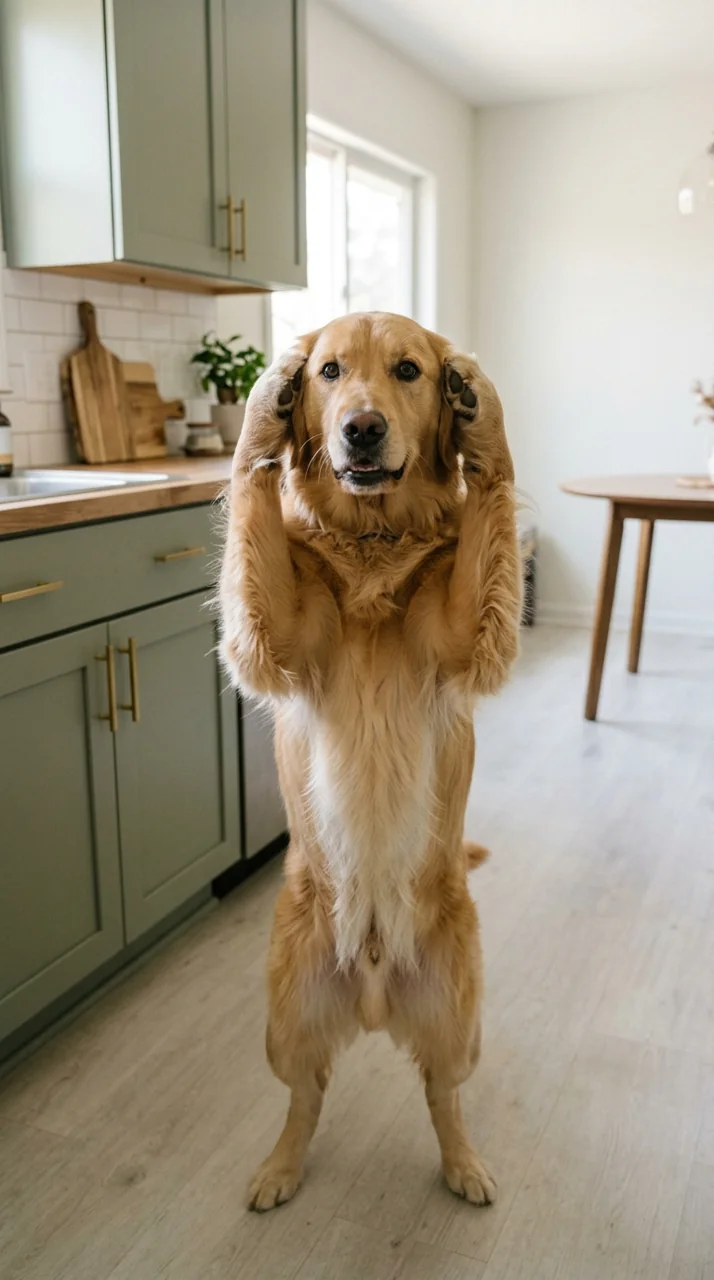
Fictional golden retriever upright with paws beside its ears in a kitchen

Synthetic dog starting image

One photo, a new scene

Use your dog’s appearance as the starting point

A suitable photo makes the intended dog easy to identify. Look for a visible face, clear coat markings and enough of the body to understand its shape. Your dog does not need to be a golden retriever like the example. The reference is meant to guide the new character’s appearance, rather than automatically replace every dog with the same breed. The original photo background is not what this fixed kitchen effect aims to preserve.

  • Appearance can change in motion

    Long fur, dark markings and a narrow muzzle can look different once the character stands and moves. Ear shape, coat details, body proportions and the paws may also change. The sample uses an entirely fictional dog, so it is not a promise that every real pet photo will retain every marking. If a specific detail is essential, inspect the finished file carefully before using it. A playful AI interpretation suits this page better than a precise portrait of a pet.

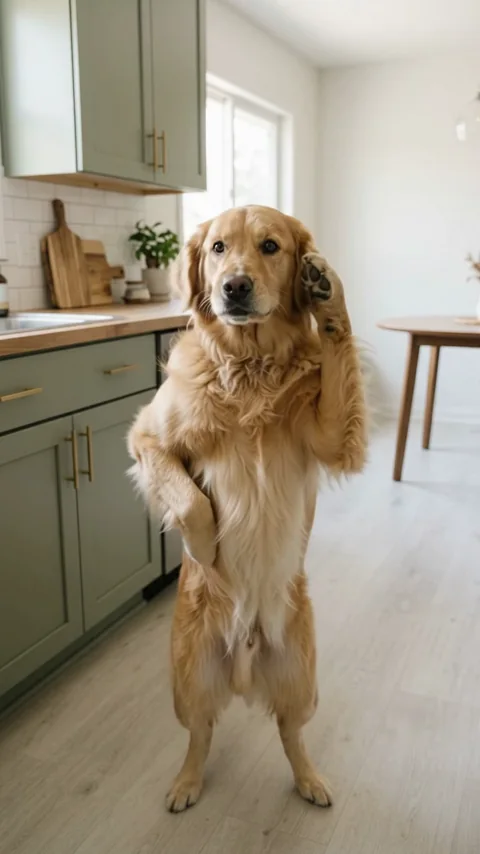
The same synthetic dog holding one paw beside its ear and the other near its waist

2.0s · Paw beside the ear

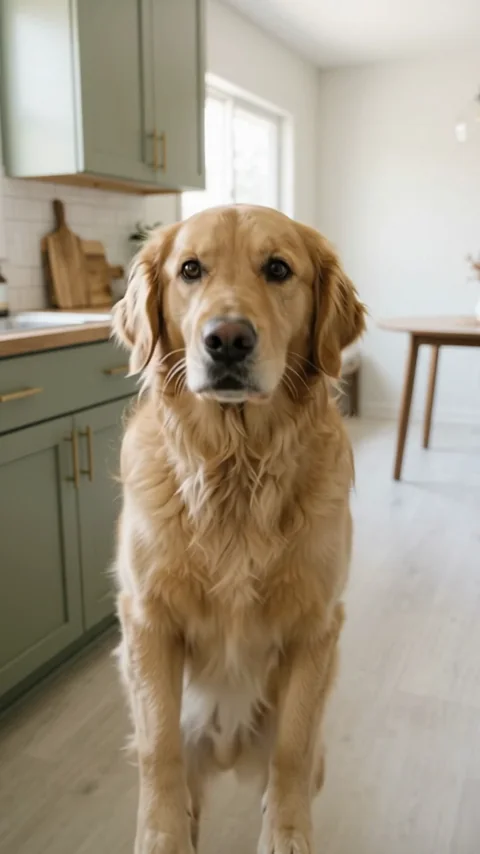
The same golden retriever approaching the fixed camera in the original kitchen

6.0s · Closer to the camera

Paws, posture and expression

Watch the dog’s complete kitchen argument

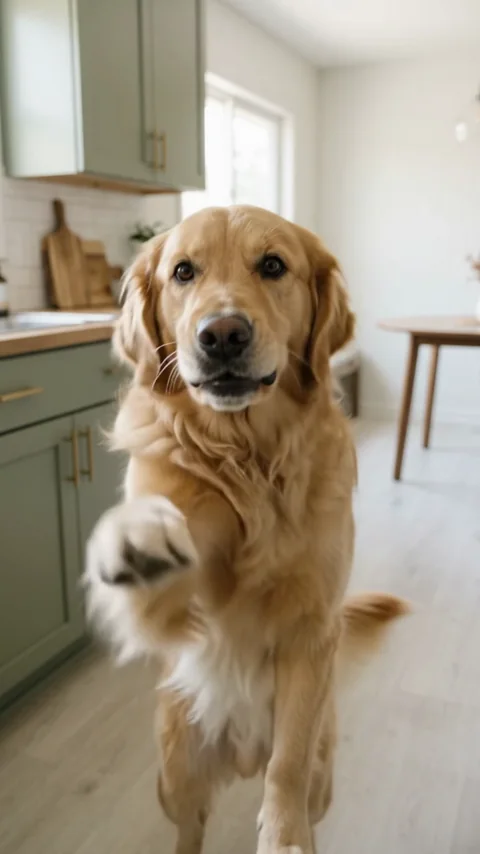
The example begins with a fictional golden retriever upright in an original kitchen. It lowers its head, raises a paw beside its ear and keeps the other near its waist. Next come outward paw gestures, a short approach toward the camera, a few head turns and small mouth movements. A paw reaches forward near the ending before lowering again. Watch the full ten seconds to see how those gestures connect; a still frame cannot show whether the dog seems to be making an argument.

  • Judge the complete moving example

    The current Beta is a gentle comic interpretation. The paw positions are readable, but the expression stays fairly friendly, and the face does not fill the frame as dramatically as in the familiar original dog clip. Mouth movement is limited rather than a sustained talking performance. Both the dog and starting image in this public example are synthetic. Judge the available effect on those visible qualities, rather than expecting a guaranteed angry expression or a copy of another creator’s pet.

The synthetic dog extending a furry front paw toward the viewer near the end of the video

8.5s · One paw reaches forward

Before you share

A comic reaction, with room for a mild expression

The fun comes from giving a familiar-looking dog an exaggerated social reaction: disbelief, an objection or a look that seems to say “wait a moment.” A short AI arguing dog video can fit a playful message or an openly fictional pet post. It is most effective when the joke works through the body language as well as the face. The current example is more restrained than the original meme, so consider whether a gentle objection suits the message you have in mind.

  • Check the expression and the ending

    Before sharing, check the opening posture, both front paws and the face during the approach. Look for extra limbs, changing markings or an unusual muzzle shape. Listen to the file too; a friendly movement paired with the wrong sound may communicate something different from the caption you intend to write. Present the clip as AI-generated, and avoid implying that the animal was trained or forced to perform the scene. The effect cannot guarantee a particular audience reaction, social reach or meme popularity.

Three simple steps

Make your dog’s reaction video

  1. 01

    Choose your photo

    Sign in, select one clear photo and confirm that you have permission to use it.

  2. 02

    Create your video

    Watch the complete example, review the Beta limits, then choose $9.90 once or 150 credits.

  3. 03

    Watch and download

    When generation completes successfully, review and download your MP4 from your account. If it fails or remains pending, check this same creation before paying again.

Before you create

The trend and your photo

What the Bad Times AI dog trend means here

Bad Times AI commonly describes the comic contrast between an ordinary pet photo and an upright animal behaving as though it has something urgent to say. Paws near the head, a sideways stance, a dismissive push and a closer look at the camera make the reaction recognizable. This page focuses on that dog-argument idea. It does not provide information about films, games or songs that happen to share the words “bad times.”

Movelume’s version creates a new kitchen scene around one dog reference. You do not upload the original trend video, record a performance or film your pet standing upright. There is no human face pasted onto a dog, and no claim that the resulting behavior happened in real life. The image becomes a fictional AI character with exaggerated gestures. Choose this effect for a light reaction clip, while recognizing that the timing, posture and emotional intensity can differ from the public example.

Choose a clear single-dog photo

Use one dog in a front or gentle three-quarter view, with the face sharp and the body reasonably visible. A full-body image is useful because the effect creates an upright character with active front paws. Choose even lighting where the eyes, muzzle and coat can be distinguished. Avoid a dog partly hidden by a sofa, heavy motion blur, a face pressed against the camera or a crop that removes most of the body.

This first version supports dogs, not cats, people, babies or several pets together. A group image can make the intended animal unclear, and a human portrait does not belong in this effect. Use a photo you own or are authorized to use. Supported files are JPG, PNG and WebP, up to 10 MB. Review the local selection and confirm your rights before you continue. You do not need a kitchen photo, a costume, an audio file or a video of the pet.

Your finished video

Sound, format and price

Generated sound, without the original Bad Times song

This version does not include the original trend song, its lyrics or precise lyric lip-sync. The creative direction uses generated dog-like sounds and kitchen ambience, rather than an uploaded commercial track. Short muzzle movements may make the dog look as if it is grumbling, but they are not a promise of recognizable words, a chosen voice or an exact sentence. There is no dialogue box or music selector on this page.

The result format is one ten-second, 720p vertical MP4 with generated audio. Listen to your actual download before publishing it. If you later add music or a voice in another editor, check the permissions for that recording and the context in which you will share it. The sound used in a trend is not automatically included in a photo effect. If the original song and exact mouth timing are essential to your idea, the current version does not meet that requirement.

One paid video, with a clear choice before creation

One finished video costs USD $9.90 through Stripe as a one-time purchase, plus any applicable tax shown before payment. Alternatively, you can choose 150 eligible credits from your existing balance, including valid rewards. These are two ways to pay for the same video, not two charges you must combine. No subscription is required for the single-video offer. The recurring workspace plans below are separate products for broader use of Movelume.

The complete public dog example is free to watch. There is no free personalized preview of your own dog, so compare the sample with your expectations before paying. When your result is ready, review and download it through your account. If creation fails or an update is unclear, check the same purchase or saved creation for status and refund information instead of starting another payment. Read the refund policy for the difference between a failed production and a result whose creative details are not what you hoped for.

One video or a wider creative workspace

Your template: $9.90, once.

Use 150 valid credits from your balance, including subscription, pack and reward credits. A subscription does not make this video free: choose credits or the $9.90 one-time purchase.

Plans for image and video

Pricing

Annual plans are billed upfront. The same plan credits refresh every 30 days and expire at the end of that window; unused subscription credits do not roll over.

Starter
$336/ year

$34.99 / monthEquivalent to $28 / month · billed upfront

For occasional image and video experiments with a predictable monthly ceiling.

2,400
credits every 30 days

About 6 short videos per credit cycleSeedance 2.0 · 5s · 720p · 380 credits each

  • 2,400 credits refresh every 30 days
  • 2 generations at once
  • New results saved for 30 days
  • Subscription credits expire at each refresh
  • Private results and generation history
CoreMost popular
$672/ year

$69.99 / monthEquivalent to $56 / month · billed upfront

For creators who iterate every week and need room for several directions.

6,000
credits every 30 days

About 15 short videos per credit cycleSeedance 2.0 · 5s · 720p · 380 credits each

  • 6,000 credits refresh every 30 days
  • 4 generations at once
  • New results saved for 90 days
  • Subscription credits expire at each refresh
  • Private results and generation history
Max
$1,680/ year

$174.99 / monthEquivalent to $140 / month · billed upfront

For high-volume creation, longer result storage, and Seedance 2.0 4K.

18,000
credits every 30 days

About 47 short videos per credit cycleSeedance 2.0 · 5s · 720p · 380 credits each

  • 18,000 credits refresh every 30 days
  • 6 generations at once
  • New results saved for 365 days
  • Seedance 2.0 4K access · credits charged per generation
  • Private results and generation history

Subscriptions renew automatically at the selected monthly or yearly rate until canceled. Cancel future renewals in your account.

Video counts are estimates for the settings above, not a separate allowance. Other models and settings use different credits. Review the exact quote before generating.

Pay safely and securely with

  • Visa
  • American Express
  • Apple Pay
  • UnionPay
  • Google Pay
  • JCB
  • Discover
Compare what is included
Plan benefitFreeStarterCoreMax
Monthly billing$0$34.99$69.99$174.99
Annual billing · paid upfront$0$336$672$1,680
Annual equivalent per month$0$28$56$140
Credits every 30 days10 once · eligible new users2,4006,00018,000
Simultaneous generations1246
New result storage30 days30 days90 days365 days
Seedance 2.0 4K accessNot includedNot includedNot includedIncluded · credits apply
Private results and historyIncludedIncludedIncludedIncluded

Subscription credits refresh every 30 days, expire at the end of that window, and do not roll over. Annual billing does not issue all yearly credits upfront.

Storage is set when a result is generated. Upgrading does not extend the storage period of older results. Download files you want to keep.

The Max requirement applies to Seedance 2.0 4K. Nano Banana 2 4K does not require Max; your selected model and settings determine the credit quote.

Active paid subscribers can buy 1,800, 4,000, or 7,500 extra credits. Packs last 365 days and do not upgrade plan benefits.

Fixed-result templates have their own cash or credit options on each template page. A subscription does not include every $9.90 finished video.

The signup grant is one-time and subject to eligibility. Local drafts are free; daily check-in rewards are separate. Generation requires enough valid credits for the exact quote.

Checking payment availability…

Prices are in USD. Subscriptions renew automatically; credit packs are one-time purchases.

Build a free draftCompare plans and credit packs
Before you choose

Bad Times AI: questions answered

01Can Bad Times AI make a video from my dog photo?

This effect accepts one authorized dog photo as an appearance reference for a newly generated upright dog in an original kitchen. Watch the complete Beta example before choosing it. Coat details, paw positions, expressions and timing can vary, and the current reaction is milder than the original trend.

02Does it work with cats, people or more than one pet?

This version is for one dog only. Cats, human portraits and several pets are outside its scope. Choose a clear image where the intended dog’s face and body are easy to distinguish, rather than a group or a heavily cropped picture.

03Does the video include the original Bad Times song?

No. It uses generated audio and does not include the original trend recording, lyrics or precise lyric lip-sync. It also does not let you choose a voice, song or spoken sentence. Listen to the complete example and your finished file to assess the sound.

04Is this a face swap or a replacement of the original dog?

No. The dog, kitchen and gestures are generated as a new fictional scene. The original creator’s recording is not used as a surface for replacing a face or pet. Your photo guides appearance, but the effect cannot guarantee every marking or proportion.

05Can I see my own dog’s result for free first?

The public sample is free to watch. A personalized video costs $9.90 once plus applicable Stripe tax, or 150 eligible credits. There is no free personalized preview. A subscription is not required for the single-video purchase.

06Will the dog argue as dramatically as the original clip?

Not necessarily. The current sample shows readable paw gestures and a short approach, with a relatively friendly face and limited mouth movement. It does not guarantee the original clip’s emotional intensity, close-up framing, exact gestures or timing. Choose it only if that milder style fits your idea.

07Why might the paws, fur or muzzle look different?

Turning a still dog photo into an upright animated character can change anatomy and details. Paws may bend oddly, coat markings may shift and the muzzle can look different during movement. Watch the entire result before sharing it; an attractive first frame does not establish consistency throughout.

08How do I download the video or check a failed creation?

Open the same signed-in purchase or saved creation to review progress and download the completed MP4. If the latest status is unavailable, check that item again rather than buying a second video. Consult the refund policy and support page for the help available with a failed purchase.

One photo, one scene

Create your dog’s reaction video

Review the complete dog example, choose a photo you have permission to use and confirm the one-time price.