Create an image from text or edit with ordered references. Choose 0.5K, 1K, 2K, or 4K, set the frame shape, and export one JPEG, PNG, or WebP image.
0 / 5000
Prompt, files, and settings stay in this browser for 24 hours.
The exact credit amount is shown before generation.
Finished images will be delivered privately to your account.
Nano Banana 2 image examples
Start simple, then add references with a job.
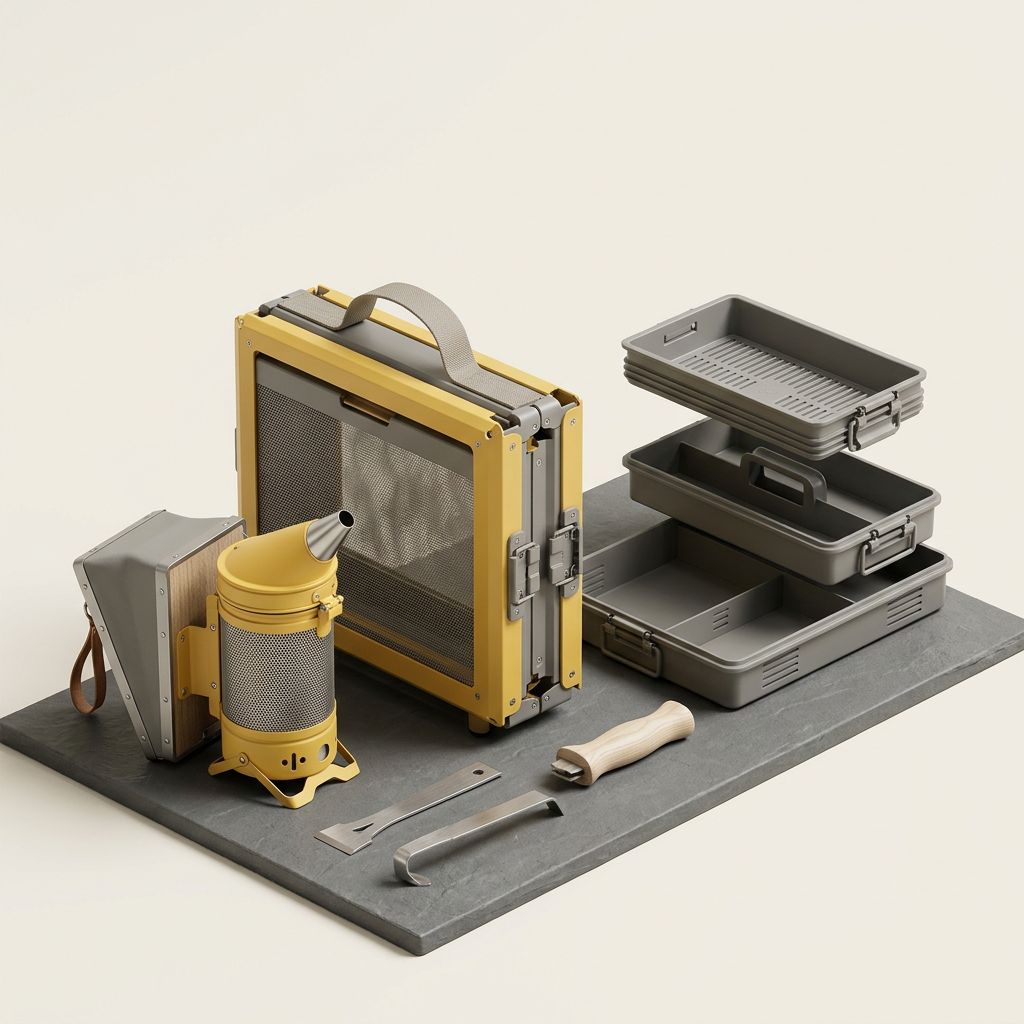
AI-generated · Text to imageA text-only brief builds one original fold-flat beekeeping kit with a readable smoker, carry frame, nested trays, and hand tools. The restrained studio setup makes object count, joints, materials, and unwanted markings easy to inspect.
What Nano Banana 2 is for
Start simple, then add references with a job.
Nano Banana 2 combines text-to-image creation with reference editing. Choose a lower resolution for a quick composition check or a larger output for detailed review. The workspace offers 0.5K through 4K, supported frame shapes, and JPEG, PNG, or WebP. Editing accepts up to fourteen ordered images; add only references with a clear role.
Start simple, then add references with a job.
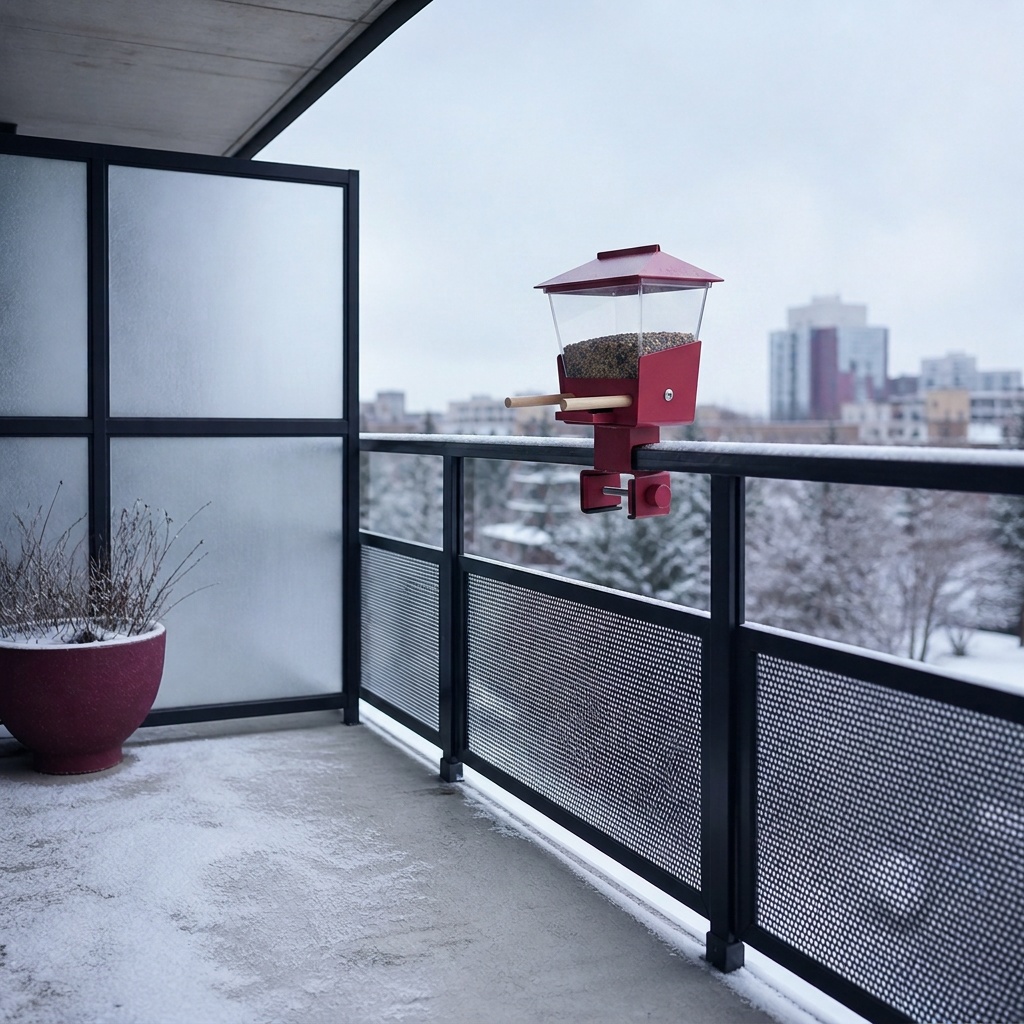
The two examples show different ways to direct the model. Rooftop Beekeeping Kit begins with text and defines the product parts, materials, camera view, background, and things to avoid. Winter Balcony Bird Feeder begins with two owned images and gives each one a job: the first supplies the feeder design and the second supplies an empty winter balcony. Compare the finished roof, reservoir, perches, tray, support, clamp, perspective, and daylight with both sources. Clear roles are more useful than uploading a mood board without instructions.
Use the model for clear visual systems, not reference piles.
Nano Banana 2 works well for frequent exploration, but it still needs a clear brief. Text, object count, hands, small details, reference conflicts, and fine layout can fail. Higher resolution will not repair a confused composition, and extra references can introduce conflicting lighting, perspective, or identity cues. Keep the smallest useful reference set and review factual details before judging polish.
AI-generated · Reference image editTwo owned references have separate jobs: the first supplies one original raspberry-red feeder and the second supplies an empty snowy balcony. The 1K result keeps the feeder's roof, clear reservoir, twin perches, feed tray, central support, and railing clamp readable inside the cool outdoor scene.
Best-fit Nano Banana workflows
Use the model for clear visual systems, not reference piles.
Nano Banana 2 suits general image work when each prompt and reference contributes distinct, non-conflicting information.
Product and campaign concepts
Define an original object, its material logic, camera angle, light, background, and the space reserved for copy. If text must appear, quote the exact line and forbid all other text. Describe one primary visual hierarchy instead of requesting a product photo, packaging system, exploded diagram, lifestyle scene, and advertising layout in the same image.
Reference-led composition
Use ordered references when different inputs own different parts of the result: subject, environment, material, pose, palette, or layout. State those roles in the prompt and preserve the order in the draft. If two images both claim the subject identity or camera perspective, remove one or decide which source wins before generating.
Fast variation before refinement
Start with a lower-cost image to judge composition, color direction, or product silhouette. Once the direction is useful, select 2K or 4K and the format your destination needs. Compare details and identity again after changing settings; a larger output still needs creative review.
Current Nano Banana 2 limits
Capacity is not the same as control.
These limits help you reduce reference conflicts and catch details that can still be wrong in a polished-looking image.
Fourteen inputs are a ceiling
You can use up to fourteen ordered references, but most tasks should use fewer. Every additional image introduces identity, perspective, palette, lighting, and rights information. Remove any source without a unique responsibility; a smaller, well-labeled set is easier to direct and review.
Text and fine facts need inspection
Exact typography, labels, diagrams, counts, and product details can still be wrong even when the image looks polished. Quote required copy, forbid extra text, and verify the result manually. Do not publish generated factual diagrams, packaging claims, or instructions without human review.
Only authorized references belong in the task
Use images you created, licensed, or have permission to transform. Do not use private photos, protected characters, copied products, trademarks, or a living artist’s style as shortcuts. You remain responsible for rights, consent, and how the result is used.
Credits depend on the final configuration
An image starts at 15 credits at 0.5K, 20 at 1K, 30 at 2K, or 40 at 4K. Review the final amount before generation. Preparing a draft does not use credits.
Text-to-image + reference editing
Create an image from text or edit with ordered references. Choose 0.5K, 1K, 2K, or 4K, set the frame shape, and export one JPEG, PNG, or WebP image. Online generation is not available yet. Drafts stay in this browser and do not upload references or spend credits.
How to use Nano Banana 2
Make every input accountable before you generate.
A reliable image workflow separates the creative objective, reference roles, output settings, and review criteria.
01
Choose prompt-only or reference edit
Start with text only when the model should invent the subject and scene. Add references when you have owned visual facts that must carry into the result. Do not add an image simply as decoration; each reference should own a named role in the brief.
02
Order references by responsibility
Put the most identity-critical source first, then add environment, material, layout, or palette sources in a deliberate order. Repeat those responsibilities in the prompt because swapping inputs can change which source has the strongest influence.
03
Confirm the current output
Choose resolution, frame shape, and file format for your destination. Check the credit estimate after changing resolution, and keep one output selected. The example drafts retain their original settings so you can use them as a starting point.
04
Review facts before aesthetics
First check subject identity, object count, exact text, reference roles, proportions, and required exclusions. Then judge lighting, texture, mood, and polish. If a factual requirement failed, revise the brief or reduce conflicting inputs before preparing another version.
Plans for image and video
Pricing
Annual plans are billed upfront. The same plan credits refresh every 30 days and expire at the end of that window; unused subscription credits do not roll over.
Free
$0/ month
Explore the workspace and prepare a first request before choosing a paid plan.
Use these answers to choose between text and reference editing, prepare a smaller reference set, and understand the available sizes and starting credits.
01Can I generate with Nano Banana 2 on Movelume now?+
Not yet. You can select Nano Banana 2, write a prompt, add local references, choose settings, and keep the draft in this browser without uploading anything or spending credits. The page will clearly show when online generation becomes available.
02Is Nano Banana 2 different from Nano Banana Pro?+
Yes. Nano Banana 2 is the practical starting point for frequent prompt and reference work. Nano Banana Pro is a separate model with its own examples, settings, and starting credits; it is not simply a quality switch on this page.
03How many reference images can I use?+
Reference editing supports up to fourteen ordered images, but most briefs should use fewer. Give every image a distinct responsibility, state those roles in the prompt, and keep the order intentional so the model receives a clear visual hierarchy.
04What resolutions and formats are available?+
Both workflows offer 0.5K, 1K, 2K, and 4K, supported aspect ratios, and JPEG, PNG, or WebP. Each request produces one image. Reference editing accepts 1–14 ordered images; text to image needs none.
05Are the images on this page real Nano Banana 2 outputs?+
Yes. Rooftop Beekeeping Kit starts from text, while Winter Balcony Bird Feeder uses two owned references with different roles. They are real Nano Banana 2 results, but a new prompt, style, or reference pair can behave differently.
06How much does Nano Banana 2 cost in credits?+
0.5K starts at 15 credits per image, 1K at 20, 2K at 30, and 4K at 40. The workspace shows the final estimate before generation; reading this guide or preparing a draft does not use credits.
Prepare the image
Give each reference one clear responsibility.
Open Nano Banana 2 in the image workspace. Start with the smallest useful reference set, then review the prompt, order, aspect ratio, resolution, format, and starting credits before you continue.