Explore another point of view

AI camera angle changer

See a portrait or product from a modest new viewpoint. Choose a three-quarter or slightly overhead view, compare the details, and download one image.

20 credits per preview · One image · About 1K PNG

or drop it here

One clearly visible adult or one simple product. Leave space around the subject; avoid crowded scenes and strong occlusion. JPG, PNG or WebP up to 10 MB.

Choose your look

Selected: Three-quarter view. AI infers newly visible details from one photo. Check faces, proportions, product parts and labels; this is not a measured 3D reconstruction. Every preset starts from your original photo.

Checking account…

No model or prompt to configure. Each additional preview uses 20 credits. Plans & credits

A different viewpoint

How to change a camera angle with AI

  1. 01

    Choose a readable subject

    Upload one JPG, PNG or WebP image up to 10 MB. Start with one adult or a clearly visible product arrangement. Keep the full subject inside the crop and use an image you have permission to edit. A clean outline and recognizable details give you something concrete to compare. A distant person, a crowd or a heavily cropped object makes a new viewpoint harder to evaluate.

  2. 02

    Select a modest viewpoint change

    Choose Three-quarter for a view from the side or Slight Overhead for a higher camera position. These labels describe creative directions, rather than measured geometric angles. Sign in, review the quote and confirm one image for 20 credits. Each new angle is a separate preview. The tool generates a new view; it does not simply rotate or tilt the existing rectangle.

  3. 03

    Check consistency and download

    Compare the output with your original, paying attention to identity or product structure before the new composition. Examine faces, object parts, labels and overlapping edges. Download the PNG if it is useful. For the other viewpoint, start again from the same original instead of turning an already generated image. This keeps the comparison anchored to what was actually visible in your source.

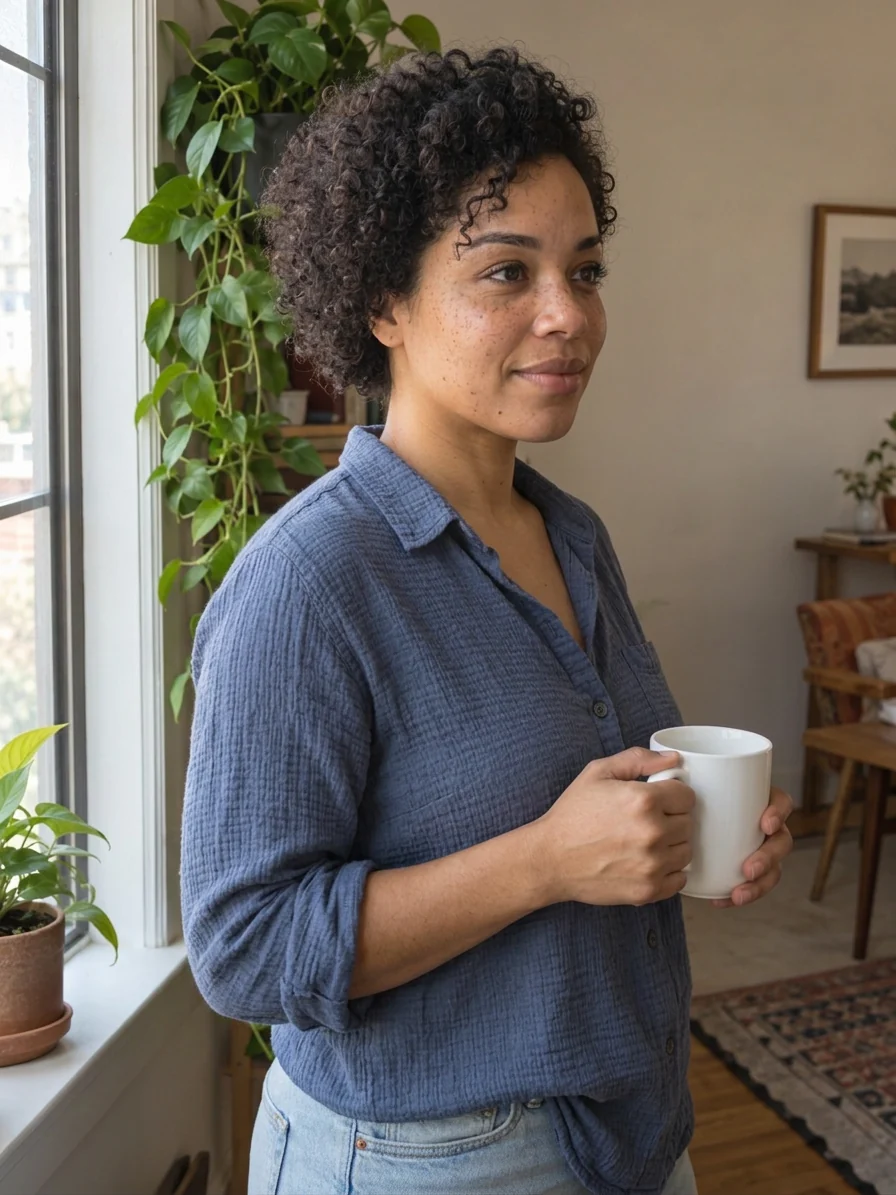
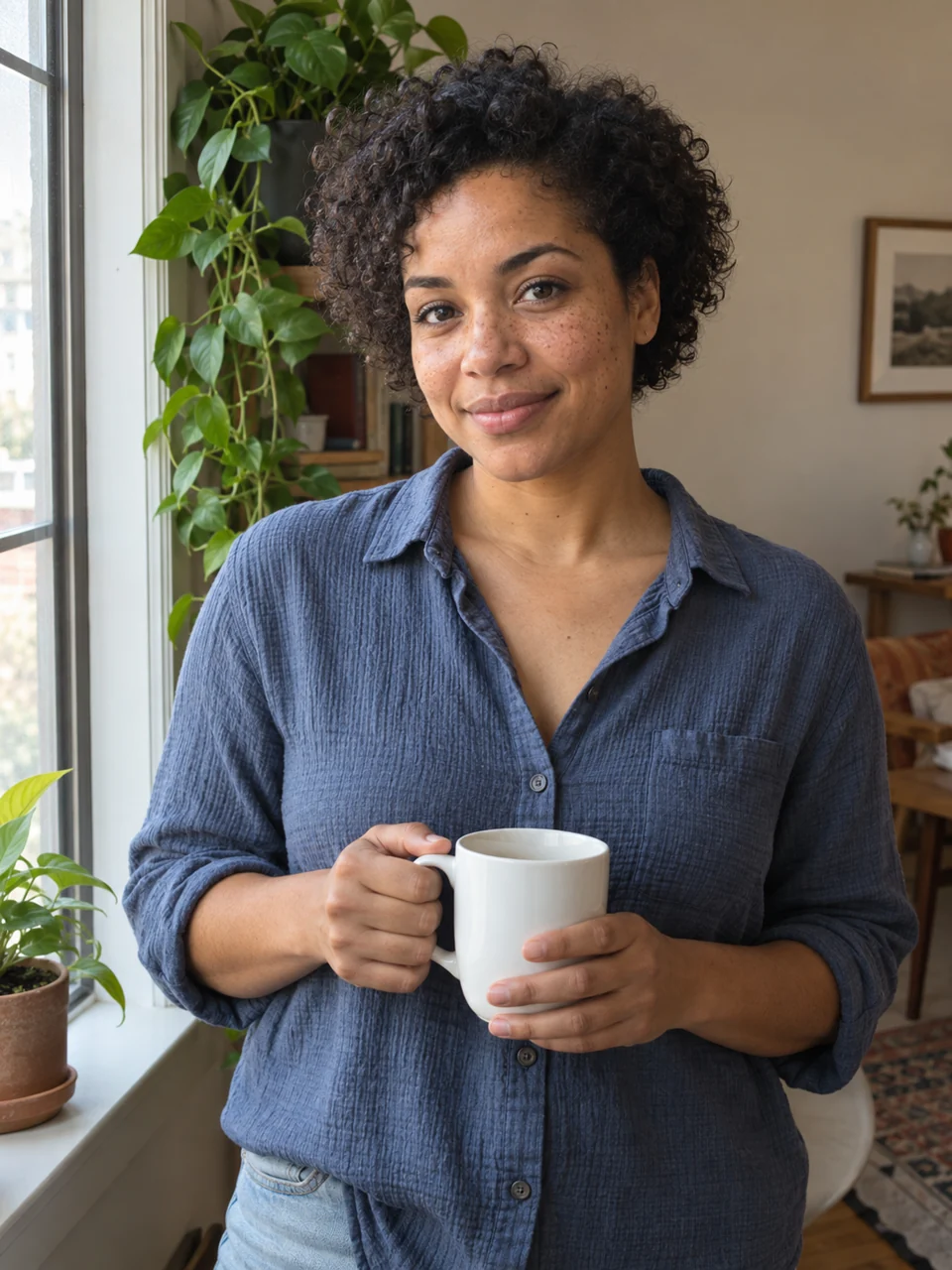
AI-created adult portrait, three-quarter viewpoint preview
AI-created adult portrait, three-quarter viewpoint preview, AI previewAI-created adult portrait, three-quarter viewpoint preview, OriginalOriginalAI preview

Drag to compare · Arrow keys supported

Three-quarter view

Explore a new camera angle from one photo

An AI camera angle changer imagines how a subject might look from a different viewpoint. A three-quarter direction can reveal a little more of a face or an object’s side while keeping the composition recognizable. It is useful for exploring an image concept before committing to a new photograph or a more detailed production process.

  • Look for a viewpoint change, then check the subject

    A new camera position should change the relationship between visible surfaces. On a portrait, the two sides of the face may occupy different amounts of the image. On a product, a side surface may become more visible. A simple crop or a rotated frame does not demonstrate this change. Compare recognizable landmarks to decide whether the output actually offers a different view. Next inspect what should remain consistent. A person should still be recognizable, with believable eyes, ears, hair and body proportions. A product should retain its outline, colors and visible parts. An attractive composition can still contain a changed face or an invented component. Decide whether those differences are acceptable for a creative reference before sharing or using the output.

  • Keep the change modest

    A small move usually leaves more shared visual information to compare than a completely reversed view. This page offers selected viewpoint directions rather than an arbitrary angle dial, a complete orbit or a set of exact turntable views. It cannot promise that a hidden side or a new facial profile matches reality. Treat the result as a proposal for a view, not as a measurement of the subject.

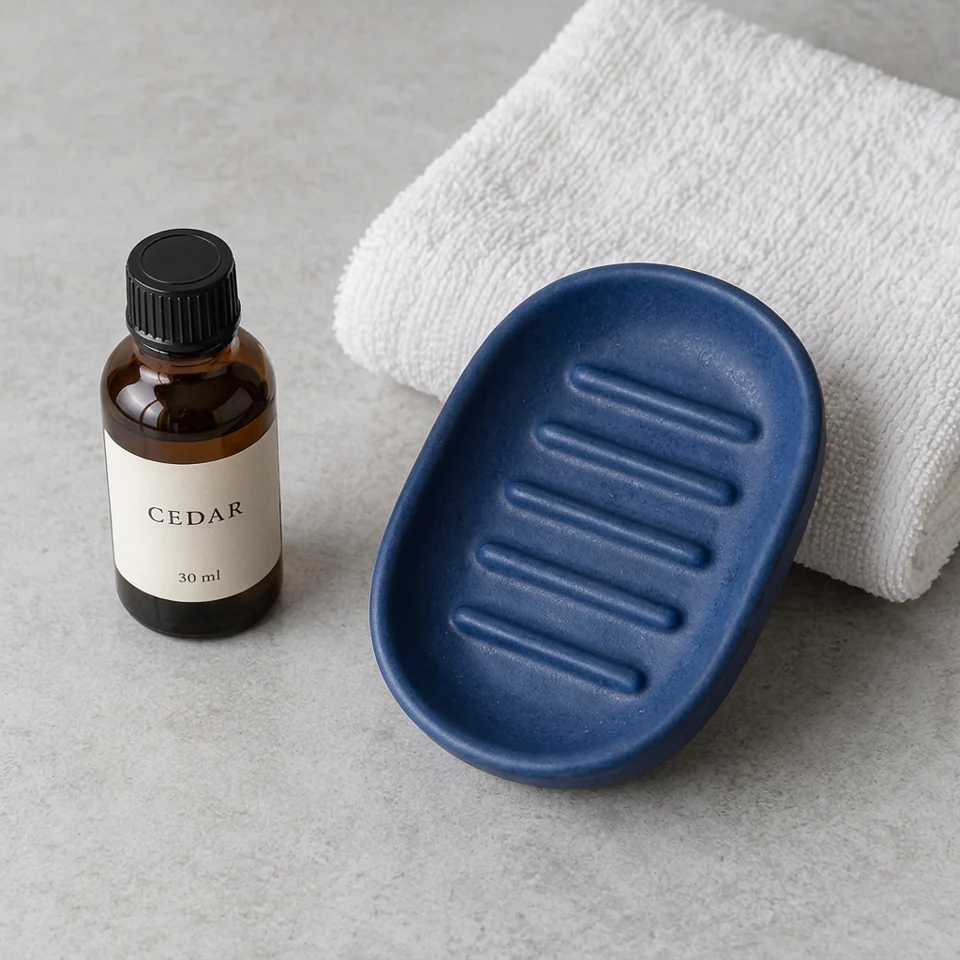
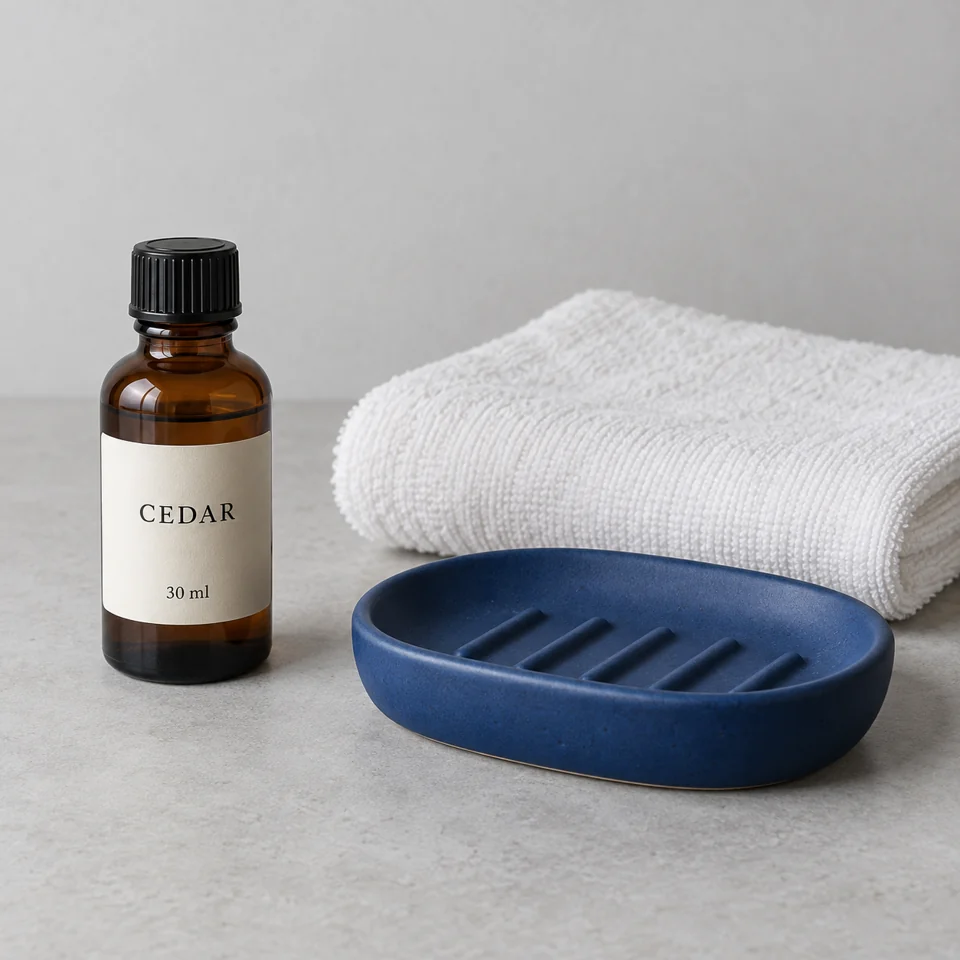
AI-created bottle and tray arrangement, higher viewpoint preview
AI-created bottle and tray arrangement, higher viewpoint preview, AI previewAI-created bottle and tray arrangement, higher viewpoint preview, OriginalOriginalAI preview

Drag to compare · Arrow keys supported

Slight Overhead

Try a higher viewpoint without claiming a 3D scan

A slightly higher camera can change how a tabletop, shoulders or the top of an object reads in the frame. The overhead direction explores that relationship from the original image. It is a visual experiment, and it cannot recover reliable geometry from surfaces the camera never recorded.

  • Inspect tops, edges and contact with the scene

    On a product arrangement, compare lids, rims, handles and the place where each object meets the surface. A higher view may expose more of a top surface, but it should not add another cap, remove a part or change the number of objects. Shadows and overlaps should form a believable scene. Read any visible label instead of assuming that text survived because the bottle shape looks familiar. For a person, check the forehead, eyes, nose, ears and shoulders together. A higher camera may change how those features appear, but it should not turn the subject into someone else. Hair and accessories can reveal inconsistent reconstruction. Compare at a readable size and avoid using a changed portrait as an accurate representation of the person from an unseen angle.

  • Understand what is being imagined

    A single photo contains visible pixels, rather than a full model of the subject. New surfaces, hidden edges and some background areas must be synthesized. Without a real reference photograph from the target viewpoint, you can judge visual continuity but cannot verify hidden structure. For engineering, product dimensions or exact catalog documentation, take additional photographs or use an appropriate measured workflow.

Make the source count

Prepare a photo and judge the limits of the new view

Choose details you can track

For a person, use a clear face and enough surrounding head and shoulders to understand the pose. For a product, include the whole object and preserve a readable outline against the background. An asymmetric feature is useful because it helps you tell a true change of viewpoint from a mirrored image. Keep a real reference view for your own evaluation if you already have one.

Transparent, reflective and highly patterned objects can be especially difficult to judge. Reflections may be regenerated and small lettering may change. A busy arrangement introduces more relationships between objects than a single item does. Start with a source whose important features you can list and inspect. Do not use a successful portrait as evidence that every type of product will behave equally well.

Use a new view for the right purpose

A generated angle can help you compare compositions, prepare a mood board or discuss a shot with someone else. It cannot replace an actual product photograph when the precise shape or label is part of the claim. If you publish a creative render, describe it appropriately rather than presenting unseen details as verified facts.

Both viewpoint options work from your selected original. Trying the other option gives you a separate interpretation of the same source, which is easier to compare than a chain of successive turns. If the first result changes an important feature, keep the source and reassess the task before buying more attempts. A more dramatic angle does not fix inconsistent structure.

Plans for image and video

Pricing

Annual plans are billed upfront. The same plan credits refresh every 30 days and expire at the end of that window; unused subscription credits do not roll over.

Free
$0/ month

Explore the workspace and prepare a first request before choosing a paid plan.

10
signup credits · valid for 30 days
Build a free draft
  • 10 signup credits with a 30-day expiry
  • Prepare an image and prompt locally before sign-in
  • See the final credit cost before generation
Starter
$34.99/ month

For occasional image and video experiments with a predictable monthly ceiling.

2,400
credits every 30 days
Compare plans

Subscriptions renew automatically at the selected monthly or yearly rate until canceled. Cancel future renewals in your account.

  • 2,400 credits refresh every 30 days
  • Subscription credits expire at each refresh
  • Private results and generation history
CoreMost popular
$69.99/ month

For creators who iterate every week and need room for several directions.

6,000
credits every 30 days
Compare plans

Subscriptions renew automatically at the selected monthly or yearly rate until canceled. Cancel future renewals in your account.

  • 6,000 credits refresh every 30 days
  • A larger credit buffer for repeated iterations
  • Private results and generation history
Max
$174.99/ month

For sustained, high-volume creation and access to the highest available output quality.

18,000
credits every 30 days
Compare plans

Subscriptions renew automatically at the selected monthly or yearly rate until canceled. Cancel future renewals in your account.

  • 18,000 credits refresh every 30 days
  • Access to the highest available output quality
  • Private results and generation history

Prices are in USD. Subscriptions renew automatically; credit packs are one-time purchases.

Compare plans
Before you try

AI camera angle changer FAQ

01How much does an AI camera angle preview cost?

One preview costs 20 Movelume credits and returns one PNG at about 1K. Review the quote before confirming. Each additional viewpoint is a separate paid image, even when it uses the same original. Your account needs sufficient credits and the applicable access. Check Pricing for the current plans rather than assuming an unlimited set of angles is included.

02Is this different from rotating or cropping a photo?

Yes. Rotating or cropping rearranges the existing flat image. This tool generates an imagined view from a changed camera position, which can expose surfaces that were not visible before. Because those areas are synthesized, the output needs inspection. A new view does not mean that the tool has recovered the subject’s true three-dimensional shape.

03Can it show the exact back of an object or a full 360-degree view?

No. The current options are Three-quarter and Slight Overhead. They do not provide an exact rear view, measured geometry or a consistent 360-degree turntable. A single image cannot verify hidden surfaces. For factual product documentation, use actual views of the item and check the generated image against them.

04Does it work the same way for people and products?

Both can be explored, but they need different checks. For a person, compare identity, facial proportions, ears, hair and pose. For a product, check the outline, parts, colors, labels and object count. A convincing face does not prove accurate product geometry, and a preserved bottle does not establish reliable facial identity. Evaluate your own input and output together. The comparisons use AI-created demonstration sources and do not establish a reliability rate for other people or products.

05Can I reuse my original and download both angles?

You can return to the original input to request the other option while that upload remains available. Each preview has its own quote and cost. Download each PNG you want to keep before its availability expires. Your personal inputs and results remain account-restricted rather than automatically appearing as public demonstrations.

06What if the page stops responding after I confirm?

Check Find my request or open your history first. An interrupted connection does not establish that the image failed to generate. When the outcome is unclear, the tool blocks another submission while you look for the existing request. Contact support if it cannot be located; repeatedly submitting would create separate previews and possible additional charges.

Make your comparison

Explore another viewpoint from your photo

Choose a readable subject and inspect the details before keeping the new view.