
This is a newly generated character and setting guided by your photo. It does not preserve your original room or paste your face onto another creator’s performance. Hair, clothing, facial details and the environment may be interpreted differently as the character moves. Choose this template when you want an original over-the-shoulder emotional scene, rather than a precise reconstruction of an existing film or a specific relationship.
Original photo-to-video · Beta
AI Crying Video Generator
One photo. A smile that turns to tears.
Turn one adult portrait into an original, cinematic crying video. Your photo guides a new character in a warm nighttime scene, facing a softly blurred companion. A gentle smile becomes an emotional moment as the eyes fill and tears fall. This fixed Beta template creates one ten-second vertical MP4 at 720p with original audio. You do not need to film yourself crying, write a prompt or edit intermediate images. One finished video costs USD $9.90, without a subscription. Watch the complete example before buying: facial likeness, tear motion and expression can vary between results.
Make it yours
1 PHOTO → 1 VIDEOPhoto 1 · Your adult character
or drop it here
One clear adult face with both eyes visible. JPG, PNG or WebP, up to 10 MB. Selecting a file keeps it on this device until you continue.
- Length
- 10 seconds
- Format
- 720p · 9:16
- Sound
- Original nighttime ambience; no copied trend song or dialogue.
$9.90 USD / video
One-time purchase
No subscription required
One 10-second video · 720p · 9:16 MP4 · Original audio. A new scene, with variable likeness and expressions. $9.90 once; no subscription. This purchase delivers one video and does not add general credits to your account.
Checking your account…Checking availability… Read the refund policy before purchase.
If we cannot generate your video, we request a full refund to the original PayPal payment. A pending refund is not a completed refund. Check this purchase or Billing for its status; if the status is unclear, check the same purchase before buying again.
From one portrait
How to make your crying video
- 01
Choose one clear portrait
Sign in and select a photo of yourself or another consenting adult. Keep both eyes visible and the face well lit. You do not need a second photo for the blurred foreground companion.
- 02
Confirm one video
Check your photo, the example and the USD $9.90 one-time price before continuing to PayPal. This covers the complete template video. No subscription, model selection or prompt writing is needed.
- 03
Watch the whole result
Return to the same purchase to follow progress. When it is ready, watch the full clip with sound, check the face and tear movement, then download your MP4 from your account.
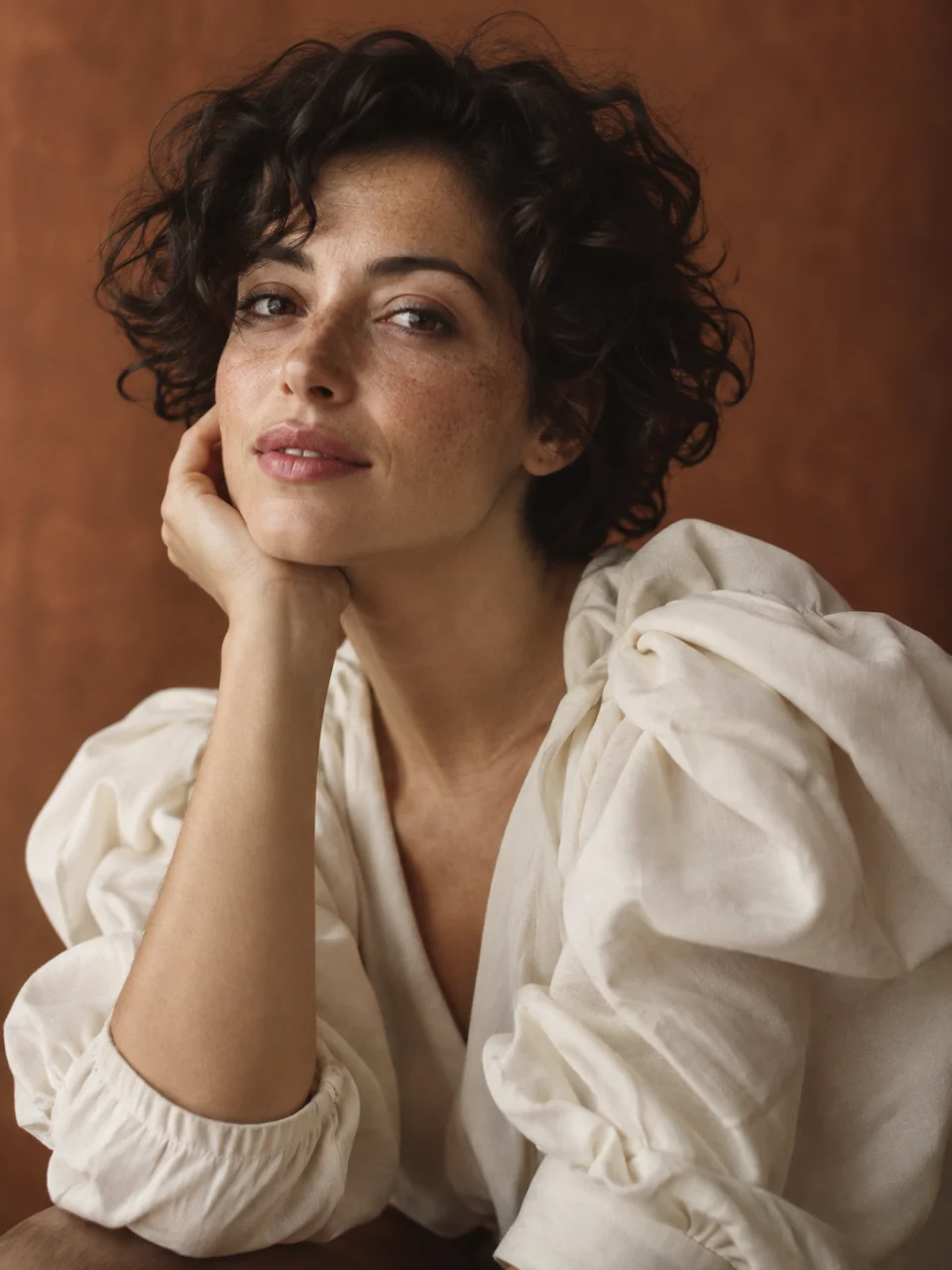
The emotional scene
A moving emotional scene from one photo
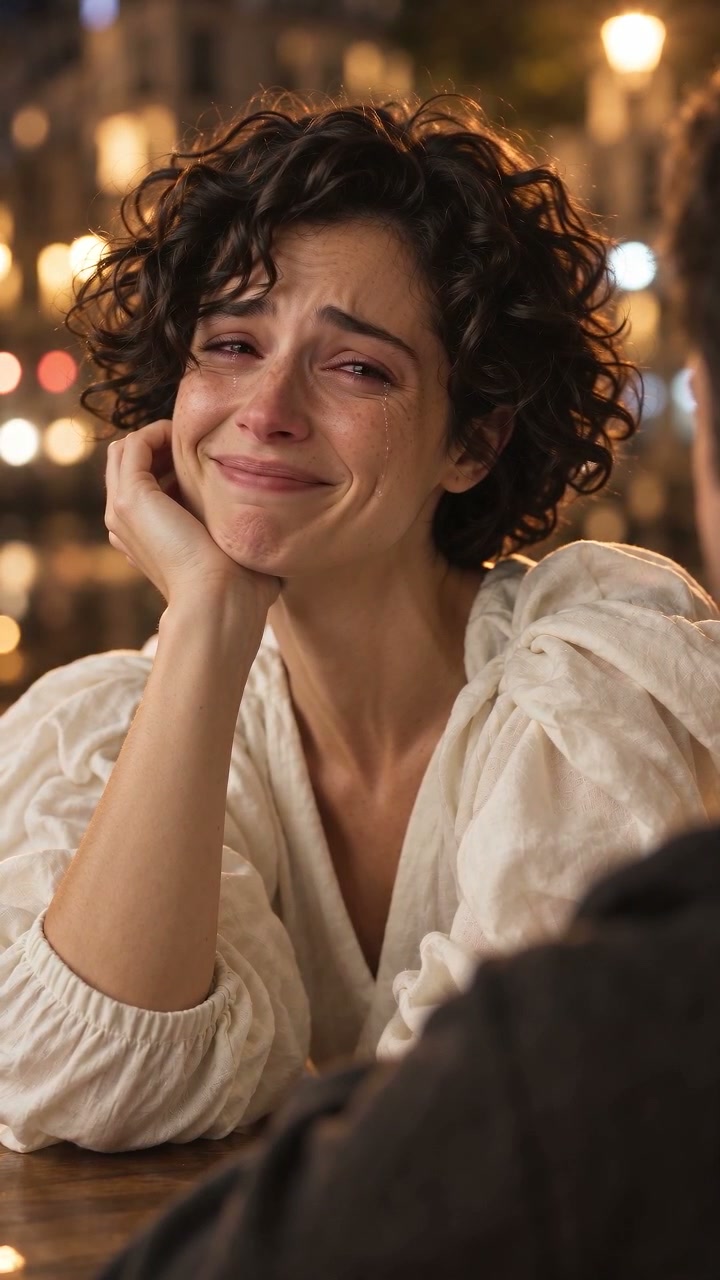
A crying video needs an emotional change that you can see over time. This template starts with a restrained, friendly expression and moves toward watery eyes and tears travelling along the cheeks. The aim is a quiet, bittersweet moment rather than exaggerated sobbing. A close view keeps attention on the eyes and mouth, while warm city lights give the newly generated scene a cinematic atmosphere. The result is fictional: you do not need to experience, record or act out real distress.
Your appearance, a newly generated scene
The softly blurred foreground shoulder suggests that your character is facing someone during an emotional conversation. That companion is a fictional scene element, not a second person whose identity you must upload. The main character remains the focus, with the eyes and cheeks visible. You supply one adult portrait; the template creates the surrounding composition. You do not need a couple photo, a partner’s selfie or a recording of two people together.
Judge the moving result
Watch the example from beginning to end. Look for a continuous change in expression, natural eye detail and tears that move rather than remaining painted onto the face. A strong opening image alone does not show how the whole video will behave. The example demonstrates one result from the current Beta, not a promise that every photo will produce the same timing, facial movement or degree of realism.
Photo to crying video
Why the scene has a shoulder but needs only one photo
Photo to crying video
Choose a portrait that keeps the eyes readable
Use a clear, reasonably recent portrait with one adult and an unobstructed face. Both eyes and the cheeks should be visible because these are where the small emotional changes happen. Even lighting and a front-facing or gentle three-quarter view are useful starting points. Avoid sunglasses, strong reflections across the eyes, heavy beauty filters and extreme side angles. A photo with several people makes the intended character harder to distinguish.
You do not have to find a picture of yourself already crying. A calm or gently smiling portrait can guide the character’s appearance while the template supplies the performance. Your source background is not part of the finished composition. Before continuing, check that you selected the intended person and that you have permission for this use. The accepted upload formats are JPG, PNG and WebP, with a maximum file size of 10 MB.
Photo to crying video
What your ten-second video includes
The finished format is one ten-second, 720p video in vertical 9:16 orientation, delivered as an MP4. The creative direction follows a gentle smile, increasing emotion, visible tears and a restrained ending. It stays within one original nighttime scene rather than assembling a longer breakup story. You do not choose individual shots or edit a sequence. Small differences in the companion’s shoulder, lighting, expressions and timing are part of the generated result.
Original audio accompanies the scene, with nighttime ambience and the possibility of a soft original musical texture. It does not include the popular song from someone else’s trend clip, guaranteed dialogue or a lip-synced performance. Listen before sharing. If you add a track later through a social app, check that platform’s music permissions and disclosure tools. The downloaded video is the result to review; the example does not reserve an identical performance for your photo.
Photo to crying video
Crying video, crying photo filter or breakup story?
A still-image crying filter changes a single picture, often by adding watery eyes or tear marks. A live camera filter follows a face while someone records. This page offers a different task: animate one portrait into a short, newly generated emotional scene. You upload a photo and receive a video, without recording a live performance. If you only want a static crying portrait, this ten-second template adds motion and a setting that you may not need.
It is also separate from a two-person breakup generator. You cannot assign a second real person, write a conversation or choose a relationship storyline here. The blurred companion supports the composition without becoming another lead character. Keeping the task fixed makes the choice straightforward: compare the sample with the scene you want, then use one suitable adult photo. For a different visual idea, explore the other templates rather than expecting this one to accept custom story instructions.
Photo to crying video
One purchase, with the limits visible before you pay
One crying template video costs USD $9.90 as a one-time purchase. This page does not offer free video generation, and a recurring subscription is not required. The workspace plans displayed elsewhere cover a wider set of creative tools; their general credits do not automatically include this single-template purchase. Check the selected photo and the payment total before confirming. The finished video includes its scene preparation, so you do not buy an intermediate image separately.
Processing time can vary, so there is no guaranteed delivery-time claim. Follow the same purchase rather than starting another payment if an update is delayed. If creation fails, that purchase shows its failure and refund status. A pending refund is not a completed refund. A delivered clip may still contain unwanted details; do not assume that a subjective quality concern automatically creates a free replacement. Read the refund policy or contact support about your particular result.
Photo to crying video
Check the face, tears and context before sharing
Review the complete clip at a comfortable size, including the first and final frames. Check whether the main character remains recognizable, whether both eyes look coherent and whether the tears follow the cheeks naturally. Small changes in facial proportions, teeth, skin texture or clothing can appear in AI video. The foreground should remain secondary rather than distracting from the expression. This Beta does not guarantee perfect likeness, flawless anatomy or the exact movement of another person’s video.
Use your own photo or an adult’s photo with their clear permission. An emotional performance can be misleading when presented without context: do not suggest that a real person was filmed crying or experiencing an event that never happened. Describe the scene as AI-generated and follow the sharing platform’s relevant labeling rules. Keep the original downloaded file so you can review what you are publishing rather than relying only on a cropped thumbnail or a short preview.
One video or a wider creative workspace
Your template: $9.90, once.
No subscription is required for this finished video. The plans below are separate recurring workspace subscriptions. Their general credits do not automatically include this template purchase.
Plans for image and video
Pricing
Annual plans are billed upfront. The same plan credits refresh every 30 days and expire at the end of that window; unused subscription credits do not roll over.
Free
$0/ month
Explore the workspace and prepare a first request before choosing a paid plan.
10
signup credits · valid for 30 days
- 10 signup credits with a 30-day expiry
- Prepare an image and prompt locally before sign-in
- See the final credit cost before generation
Starter
$34.99/ month
For occasional image and video experiments with a predictable monthly ceiling.
2,400
credits every 30 days
Subscriptions renew automatically at the selected monthly or yearly rate until canceled. Cancel future renewals in your account.
- 2,400 credits refresh every 30 days
- Subscription credits expire at each refresh
- Private results and generation history
CoreMost popular
$69.99/ month
For creators who iterate every week and need room for several directions.
6,000
credits every 30 days
Subscriptions renew automatically at the selected monthly or yearly rate until canceled. Cancel future renewals in your account.
- 6,000 credits refresh every 30 days
- A larger credit buffer for repeated iterations
- Private results and generation history
Max
$174.99/ month
For sustained, high-volume creation and access to the highest available output quality.
18,000
credits every 30 days
Subscriptions renew automatically at the selected monthly or yearly rate until canceled. Cancel future renewals in your account.
- 18,000 credits refresh every 30 days
- Access to the highest available output quality
- Private results and generation history
Prices are in USD. Subscriptions renew automatically; credit packs are one-time purchases.
Compare plansBefore you choose
AI Crying Video Generator: questions answered
01Can I make a crying video from just one selfie?
Yes. Choose one clear photo of a consenting adult. The template creates the main character and an original nighttime scene from that appearance reference. No second selfie, performance recording or crying source photo is required.
02Do I need to write a prompt or edit the video?
No. This is a fixed template. You select a portrait, confirm permission and purchase one video. Scene preparation and animation are included. You cannot add a custom script, change the shot sequence or direct a second person on this page.
03Will the person still look exactly like me?
Your photo guides recognizable appearance, but exact likeness is not guaranteed. Facial details and expressions can change during animation. Watch the full example and review your result carefully before sharing; one successful example does not prove consistent results for every portrait.
04Will it keep the background in my photo?
No. It creates a new warm nighttime setting with a blurred foreground companion. Your original location is not retained. The foreground figure is fictional and does not require another person’s photo or represent a named second person.
05Is this AI crying video generator free?
No. One finished template video costs USD $9.90. It is a one-time purchase with no subscription required. Watch the available example and check the format and Beta limitations before deciding whether this paid template suits your idea.
06Does it include a trend song or spoken words?
It includes original scene audio, not a copied trend song or a promised spoken performance. Audio details can vary. If you add music in another app, check the rights and platform rules that apply to that track.
07Where can I watch and download my video?
Sign in to the account used for the purchase and return to the same purchase to follow its progress. When delivery is available, watch the protected result and download the MP4. Do not pay again simply because a status update is taking longer.
One photo, one scene
Create your original crying video
Review the example, choose a consenting adult portrait and confirm the one-time price.